The Multilingual Page Your Cache Gets Wrong Is the Home Page, and One Recipe Line Makes It Worse
 M Asif Rahman 10 min read
Updated October 2026
Polylang runs on 900,000 or more WordPress sites, per a wordpress.org Plugin API query on 30 October 2026, and its language cookie is one line of its own source. We put that cookie behind an nginx FastCGI cache the same day, and one stored response answered visitors in three languages. The usual question is which caching plugin works with which translation plugin. The useful one is narrower: which of your URLs does not carry its language. That is the only one a cache can get wrong.
Quick Summary: Which Language Mode Needs Which Cache Setting
| If your language lives… | Do this | Why |
|---|---|---|
In a directory, /fr/ | Nothing. Cache normally | The address differs, so the cache key differs |
| On a subdomain or domain | Nothing, beyond one cache per host | Same reason, one level up |
In ?lang=fr | Keep lang out of ignored query parameters | Those keys are stripped before the key is built |
| In a cookie, one URL | Put the cookie in the cache key | Nothing else tells the cache two visitors differ |
| On the home page redirect | Leave that one URL uncached | It answers differently per visitor by design |
Both Plugins Put the Language in the URL, and One Offers a Way Out
WPML’s own language setup guide, read on 30 October 2026, lists three formats and no fourth: languages in directories, a domain per language, and the language name as a parameter. All three put the language in the address, and a cache keyed on the address separates them without being told anything.
Polylang offers those three in src/settings/settings-url.php of version 3.9.1, by directory name, subdomain name or separate domains. It also offers a fourth: “The language is set from content”, described there as “Posts, pages, categories and tags URLs will not be modified.”
| Polylang mode | Cacheable with no extra config |
|---|---|
| Directories | ✅ |
| Subdomain or separate domains | ✅ |
| Query parameter | ✅ |
| From content | ❌ |
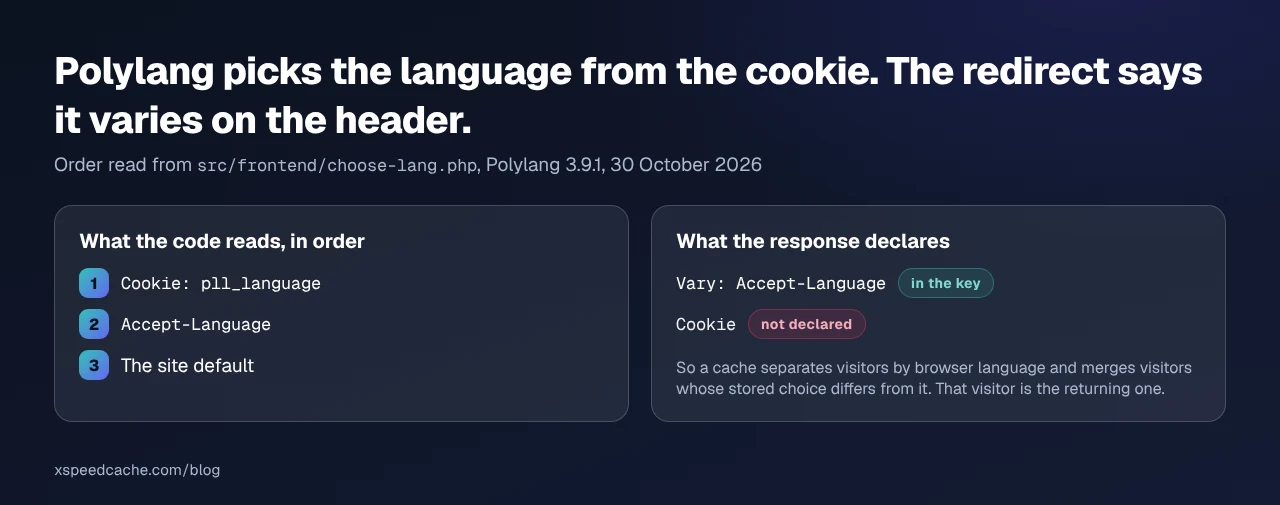
Content mode is milder than it sounds. A translated post is its own post with its own slug, so most pages still answer at a distinct address. The exceptions are requests with no post to read a language from: the site root, and archives or searches with no language in the query. There, Polylang falls back to PLL_Choose_Lang::get_preferred_language(): cookie, then Accept-Language, then the site default.
The Cookie Is Named in the Source, and the Redirect Declares the Wrong Dependency
Two facts before you touch a cache config, read from the Polylang 3.9.1 tag on plugins.svn.wordpress.org on 30 October 2026.
The cookie name is a constant: src/class-polylang.php line 132 reads define( 'PLL_COOKIE', 'pll_language' ). That string is what a cache key needs.
The redirect says what it varies on. In src/frontend/choose-lang.php it sends header( 'Vary: Accept-Language' ) and then a 302, so caches are told the response depends on the browser’s language header. The cookie, which the same code consults first, is not mentioned.
What We Measured: One Home Page, Three nginx Configurations
We rebuilt that logic rather than reasoning about it. A PHP endpoint on nginx 1.24.0 and PHP 8.3.6 reproduces get_preferred_language(): cookie, then Accept-Language, then default, with Vary: Accept-Language, a 302, and a Set-Cookie: pll_language= only when the stored value differs from the chosen one, the condition in PLL_Cookie::set(). Three languages, measured 30 October 2026, each arm from an empty cache.
| Arm | Config on the home-page location | Entries | A visitor whose cookie says fr got |
|---|---|---|---|
| A | Key of scheme, method, host and URI | 1 | /en/, from cache |
| B | A, plus fastcgi_ignore_headers Cache-Control Expires Set-Cookie Vary | 1 | /en/, plus a cookie rewriting theirs to en |
| C | A, plus $cookie_pll_language in the key | 3 | /fr/, correctly |
Arm A is the config in most nginx guides. Its first-visit responses were never stored, which looks like protection and is not: nginx’s own FastCGI module documentation states that “if the header includes the Set-Cookie field, such a response will not be cached.” A first-time visitor gets that header. A returning visitor does not, because the plugin sends it only when the language changes, so the second request is stored and handed to anyone whose Accept-Language matches, whatever their cookie says.
Arm B is that config plus the line people add when they see a hit rate of zero. The home page cached perfectly and served one language to everybody, and because the stored response still carried Set-Cookie: pll_language=en, every later visitor was handed an English cookie that outlived the entry. A French visitor with a correct cookie came back English.
Vary on Cookie Is Correct, and It Costs You the Cache
The header that would describe the real dependency is Vary: Cookie. Per MDN’s reference for Vary, a cache then keys on that whole request header, and nginx has honoured it since 1.7.7. It works, and it costs the cache.
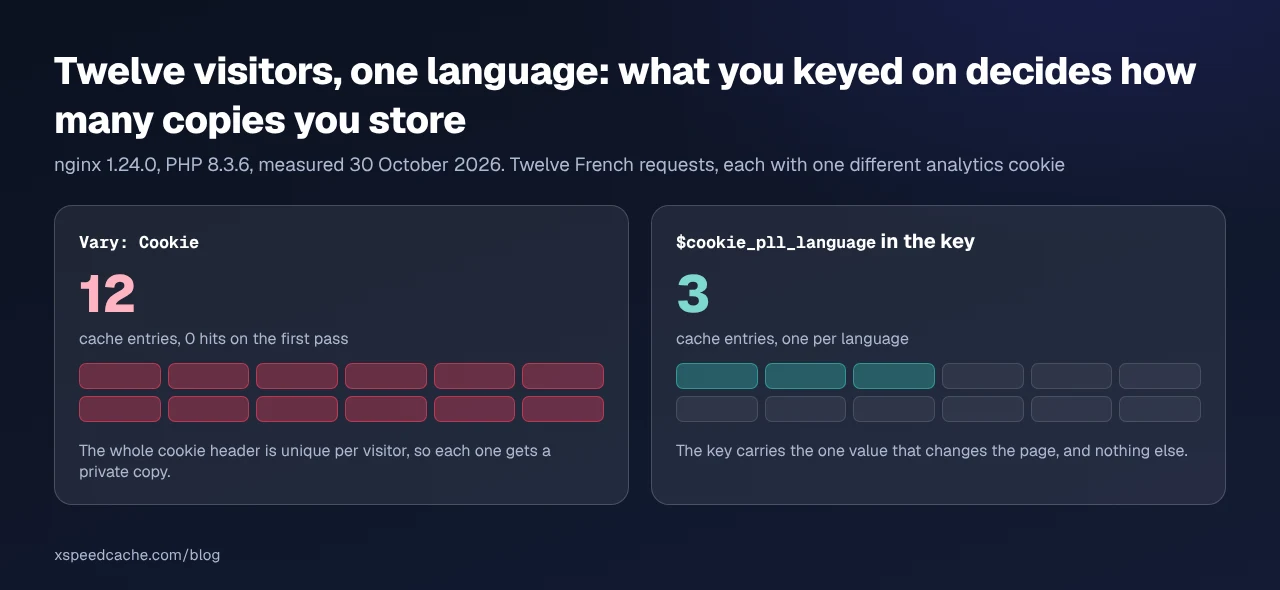
We sent twelve home-page requests, all French, all carrying a correct pll_language=fr, each with one extra analytics cookie holding a different value, as a real visitor’s would. Twelve entries, zero hits on the first pass, against three for three languages in arm C. The cookie header is unique per visitor, so varying on it gives each one a private copy.
Three Settings, in This Order
Work down this list and stop at the first one that applies to your site.
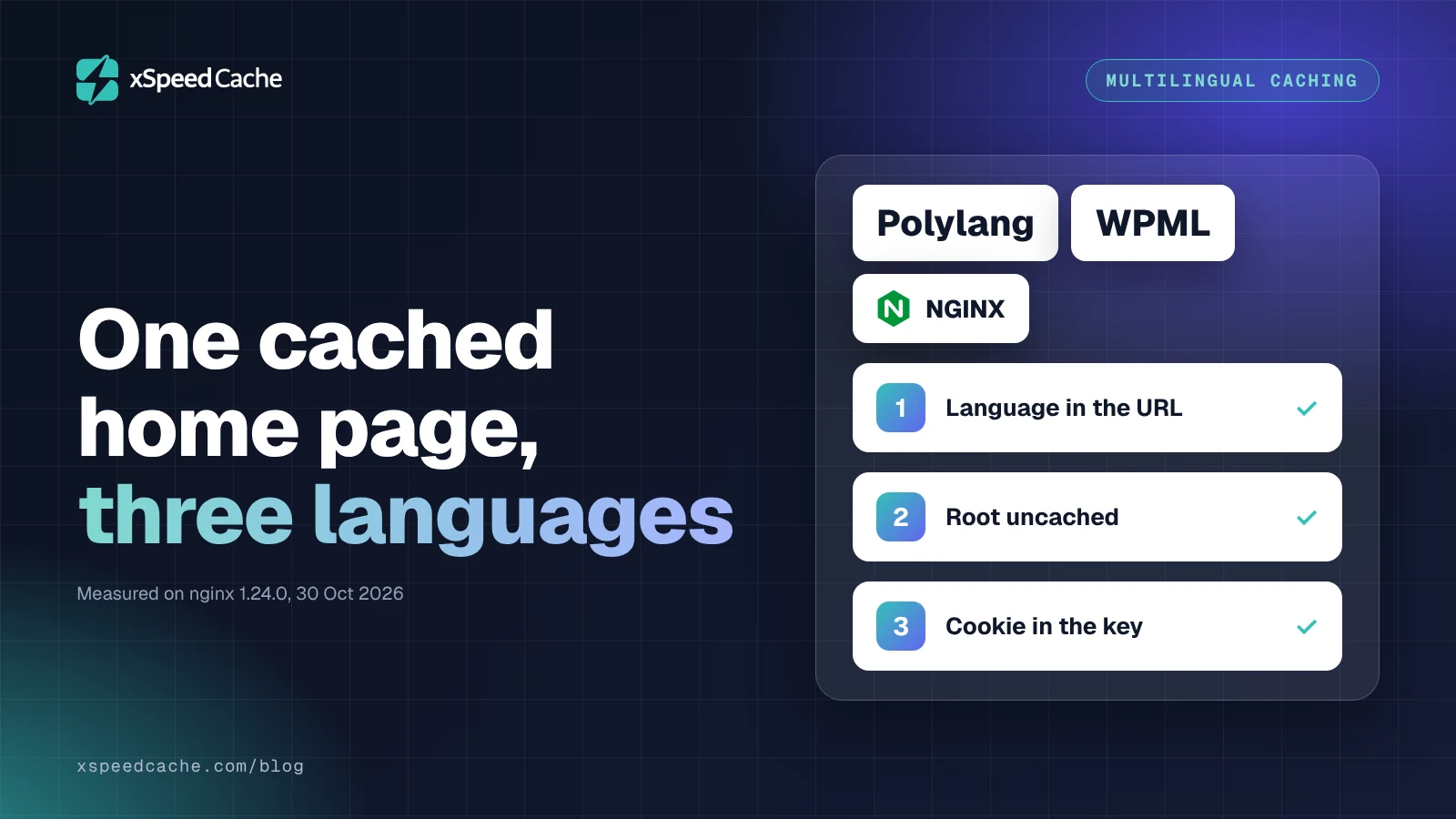
- Put the language in the URL. A translation-plugin setting, not a cache setting: Languages, then Settings, then URL modifications in Polylang; WPML, then Languages, then Language URL Format in WPML. Every page then has its own address and no cache needs configuring. We measured directory mode under arm A’s plain key: two URLs, two entries, correct on both, with a conflicting cookie and browser header present.
- Leave the language-deciding URL uncached, usually the bare root. Polylang says so itself:
settings-browser.phpdescribes browser detection as redirecting the front page “to itself in the browser preferred language”, and adds that “as this doesn’t work if it is cached, Polylang will attempt to disable the front page cache for known cache plugins.” - If the language really is a cookie, put the cookie in the key. Not in
Vary, and not in an exclusion list, which stops the page caching at all.
Check that condition on your own site. “Known cache plugins” is pll_is_cache_active() in src/functions.php, true when WP_CACHE is defined and true, or when WP Fastest Cache’s WPFC_MAIN_PATH exists. A cache that runs in PHP sets WP_CACHE. A cache in nginx, or at a CDN edge, does not, so the protection never fires and the front-page redirect is cached with everything else.
Running This Across a Multilingual Store
That constant decides how much of this you do by hand. xSpeed Cache is ours, from WPDeveloper, and its page cache runs in PHP: our Page Cache documentation describes the master switch as installing “the drop-in and the WP_CACHE constant”, the condition Polylang tests for. Turn it on and step 2 applies by itself.
Three fields on that screen matter here. Ignored Query Parameters strips the keys it lists before the cache key is computed, and the shipped defaults are analytics and advertising keys, so WPML’s ?lang= survives. Do not add lang to it. Excluded Cookies makes a matching visitor bypass the cache entirely, so pll_language there un-caches the home page for every returning visitor rather than keying it. Cache rules, in Advanced Cache, Rules and bypass, is where one URL goes when step 2 is the answer, and it is a Pro tab.
Run the free scan on your own site: xspeedcache.com/scan/. It needs no account, and check D1 reports whether a page cache answered at all. If you would rather check by hand, request the home page twice in each language and read the status word, as in how to check whether caching is working.
If your cache lives in nginx, none of those fields exists and the key is the only lever, the same split we measured for cart pages on a FastCGI micro-cache. LiteSpeed Cache ships a vary-cookie list that does this properly, and WP Rocket sells WPML-aware separation. Both are honest answers where that route is closed.
Common Mistakes Multilingual Site Owners Make
- Reading
BYPASSon their own request and concluding nobody is served the wrong language. The affected visitor is the next one. - Adding the language cookie to an exclusion list. That is correctness bought by turning the cache off, and it reads as a fix because the symptom goes.
- Testing in one browser. A cookie and an
Accept-Languageheader that agree cannot reproduce this. - Assuming a CDN in front changes the answer. It moves the key one layer out and the gap in
Varygoes with it, the way a cached page shows logged-in content when the session is not in the key. - Leaving checkout in the shared bucket. Language and cart are two keys, not one, as caching WooCommerce without breaking checkout sets out for WooCommerce stores.
Frequently Asked Questions
My home page shows English to French visitors, but the French pages are fine. Why?
The French pages carry /fr/ and the home page does not. The address is everything a cache knows, and the root is the one request where a cookie or a header decides instead.
My language switcher works, then the wrong language returns on the next visit. What changed?
Nothing on your site. A cached response carrying Set-Cookie: pll_language= was replayed to you and overwrote the cookie the switcher set. Arm B is that sequence reproduced.
Does Vary: Accept-Language not already fix this?
It separates entries by browser language, real protection for first-time visitors. It says nothing about the cookie, and Polylang reads the cookie first, so a returning visitor whose choice differs from their browser is the case it misses.
My home-page hit rate is zero while every other page is fine. Is something broken?
Probably not. A response carrying Set-Cookie is not stored, by the rule quoted above. That is the cache declining to share a personalised response.
Should I add pll_language to my excluded cookies?
Only if you want the page rebuilt for every returning visitor. Exclusion means never cached; keying means cached once per language, three entries rather than none.
I use WPML in directory mode. Do I need any of this?
No. All three WPML formats put the language in the URL, so a URL-keyed cache is already correct. Check only that nothing ahead of you strips the query string.
My WPML site uses ?lang=de and the cache serves German to everyone. What is stripping it?
An ignored-parameter rule upstream. Caches drop analytics keys before building the key, and a rule written as “ignore all query parameters” takes lang with them.
Does the default language need its own prefix?
Not for caching. Polylang’s “Hide URL language information for default language” keeps the default at /, which makes the root a language-deciding URL. Step 2 then applies to it.
How many cache entries should a three-language home page have?
Three, if you have keyed it. One means it is shared, and one per visitor means you varied on the whole cookie header.
Can I keep browser detection and a cached front page?
Not on the same URL. Detection answers differently per visitor by design. Cache the per-language home pages, leave the root out, and the redirect costs one render each.
Conclusion: Put It in the URL, or Put It in the Key
| If you want… | Do this |
|---|---|
| The least work | Directory mode, and cache normally |
| A cached root as well | Key on pll_language, or leave the root out |
What to do this week: request your home page twice in each language with a matching cookie and read the cache status; check whether lang has reached any ignored-parameter list; move the language into the URL if it is not there; and if it cannot move, key on the language cookie rather than excluding it. For the PHP route, xSpeed Cache is ours and its free tier includes the page cache and these exclusions, with Free versus Pro listing what the Rules tab adds and pricing from $29 a year, with a 14-day money-back guarantee.
If you run translated sites for clients, two requests per language belong in the launch checklist next to the cart check. It is the cheapest test here and the one nobody runs.