Redis Object Caching on WordPress: Setup That Survives a Redis Restart
Updated September 2026
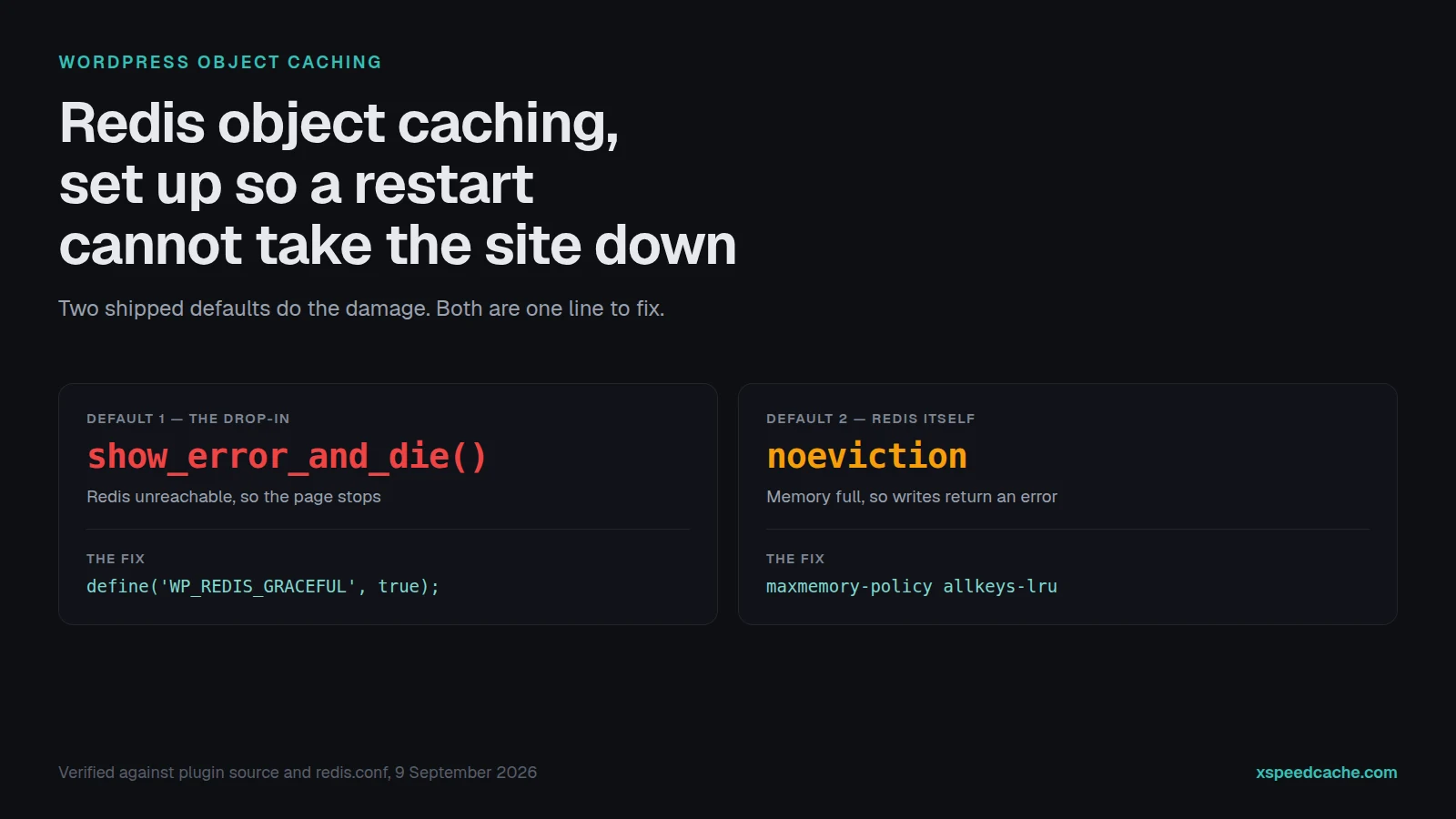
Redis Object Cache runs on 500,000+ WordPress sites and its current drop-in is version 2.8.0, according to the wordpress.org Plugin API on 9 September 2026. Read that drop-in’s source and you find a method called show_error_and_die(). When Redis is unreachable, the shipped default is a white page reading “Error establishing a Redis connection”.
Redis has a second default that costs just as much: maxmemory-policy noeviction, which errors on writes rather than discarding old keys once memory is capped. Most guides stop at “install the plugin, click Enable”. This one covers what breaks after that.
Quick summary
| If you want to… | Do this | Why |
|---|---|---|
| Know whether this is possible | redis-cli ping, then check php -m | The Redis server and the PHP extension are separate things |
| Stop Redis refusing writes | CONFIG SET maxmemory-policy allkeys-lru | noeviction is the default and it errors instead of evicting |
| Turn it on safely | Use a plugin that tests the connection first | A failed test should block the enable step |
| Survive a Redis restart | Define WP_REDIS_GRACEFUL, or keep the timeout at 1 second | The unconfigured failure mode is a fatal error page |
| Prove it is working | Compare keyspace_hits to keyspace_misses | A connected cache that nothing reads is not working |
On this page: Have you got Redis? · Configure Redis · The drop-in · Surviving a restart · Proving it works · FAQ
What an object cache is, and what it is not
WordPress core is explicit about the starting position. Per the developer reference for WP_Object_Cache: “By default, the object cache is non-persistent. This means that data stored in the cache resides in memory only and only for the duration of the request.”
Every page load therefore rebuilds the same option lookups, term queries and user meta. A persistent object cache keeps them in Redis between requests, which helps the traffic a page cache cannot serve: logged-in users, carts, admin screens, REST calls. It does little for a page already served statically, a different layer answering a different question. Our guide on whether your page cache is working covers that one.
Step 1: Does the server have Redis at all?
Two pieces have to exist, and shared hosting frequently has neither. Run these over SSH from the site root.
redis-cli ping
php -m | grep -iE 'redis|memcached'
wp eval 'var_dump( class_exists("Redis") );'| What you see | What it means | Next step |
|---|---|---|
PONG and redis listed | Both pieces present | Go to step 2 |
PONG, no redis | PHP cannot reach Redis | Install PhpRedis |
No PONG | Missing, or the service is stopped | Start it, or ask the host |
The third command matters because php -m reports the CLI build of PHP, often not the build serving your site. WP-CLI asks in the context WordPress uses.
Step 2: Make Redis behave like a cache
Do this before WordPress touches it. Redis ships with no maxmemory limit and maxmemory-policy noeviction. Per Redis’s own eviction documentation, under that policy “Keys are not evicted but the server will return an error when you try to execute commands that cache new data.”
For a database that is correct. For a cache it is not. Unbounded, Redis grows until the operating system kills it. Capped without a policy change, it refuses new entries while the site appears to work.
redis-cli CONFIG GET maxmemory
redis-cli CONFIG GET maxmemory-policy
redis-cli CONFIG SET maxmemory 256mb
redis-cli CONFIG SET maxmemory-policy allkeys-lru| Policy | When memory is full | Right for WordPress? |
|---|---|---|
noeviction | Errors on writes | ❌ Shipped default, wrong here |
allkeys-lru | Drops least recently used | ✅ Redis calls this a good default |
volatile-lru | Drops only keys with a TTL | ⚠️ Many WordPress keys have none |
allkeys-random | Drops keys at random | ⚠️ Works, worse hit rates |
CONFIG SET does not survive a restart, so write both lines into redis.conf too. Leave persistence off while you are there: appendonly no is the default and it is right for a cache, because nothing here is worth writing to disk.
Step 3: Install the drop-in
The thing that does the work is one file: wp-content/object-cache.php. Every object cache plugin installs a drop-in there, and WordPress loads it before almost anything else. The plugin is the installer and the settings screen. The drop-in is the cache.
That path is contested. Redis Object Cache’s changelog carries the entries “Prevent W3 Total Cache and LiteSpeed Cache from overwriting drop-in” and “Prevent Perflab from overwriting the object cache drop-in”. When two plugins want that file, the last to write wins and the other quietly stops working.
Two routes, both free:
| Question | xSpeed Cache | Redis Object Cache |
|---|---|---|
| Where you configure it | Dashboard → Object Cache | Settings → Redis |
| Backends | Redis, Memcached | Redis only |
| Tests before enabling | ✅ Enable blocked until it passes | ❌ None |
Writes wp-config.php | ✅ Between markers | ❌ By hand |
| Clustering, sentinels, Relay | ❌ Not supported | ✅ Supported |
xSpeed Cache is ours, and its object cache module sits in the free tier rather than behind the licence, which is why it is the default recommendation here. Per our Object Cache documentation, it defaults to 127.0.0.1, port 6379, database 0 and a 1-second timeout, and refuses to enable until Test connection succeeds. Commands are wp xspeed objcache status|test|flush (WP-CLI reference). Redis Object Cache is the better fit for Relay, sentinels or clustering, and with 500,000+ installs and 4.5 stars from 176 ratings on wordpress.org it is a sound choice.
Either way, set a cache key prefix when more than one site shares the Redis server. Without one, two sites write the same keys in the same database and read each other’s data.
Step 4: The default that takes the site down
Almost no guide mentions this. In the Redis Object Cache drop-in 2.8.0, the constructor reads:
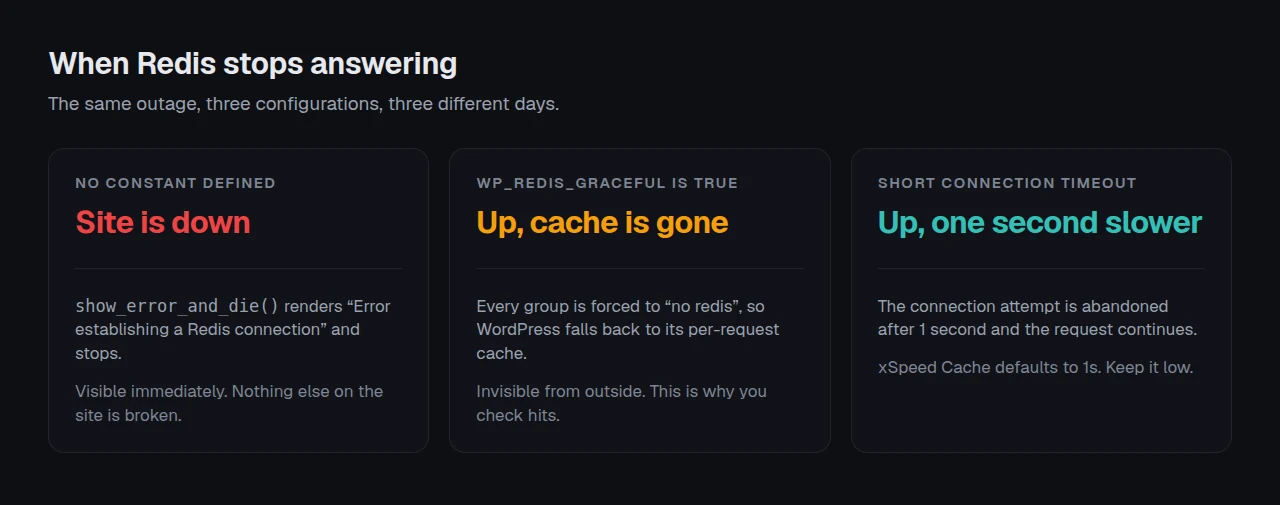
$fail_gracefully = defined( 'WP_REDIS_GRACEFUL' ) && WP_REDIS_GRACEFUL;Undefined means false, so a connection failure lands in show_error_and_die(), which renders Error establishing a Redis connection and stops. Redis restarting, hitting a connection limit, or moving host all produce that page. The site is fine. Redis is the only thing that broke. Define the constant to change that.
In wp-config.php, above the “That’s all, stop editing” line:
define( 'WP_REDIS_GRACEFUL', true );Now read what graceful does, from the same file’s handle_exception():
When Redis is unavailable, fall back to the internal cache by forcing all groups to be “no redis” groups.
The site stays up and silently reverts to core’s per-request cache. That is the right trade, and it is why step 5 exists: a degraded site looks identical to a working one from outside. We take the other approach in xSpeed Cache and hold a connection timeout, 1 second by default, so an unreachable Redis costs a second per request instead of halting.
Step 5: Configured is not working
Start outside, because that tells you whether any of this reached a visitor. The xSpeed Scan is free and needs no account, and its check D1, time to first byte is the number an object cache moves on requests a page cache cannot serve. Run it before you change anything and again after.
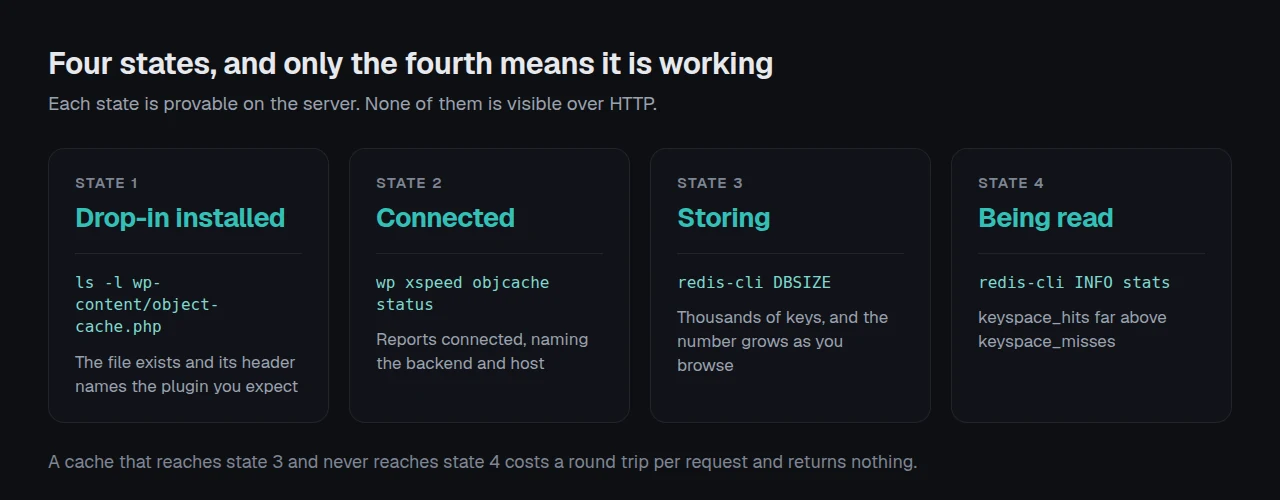
Be clear about the limit. An object cache is server side and emits no response header, so nothing over HTTP proves it is running. The xSpeed Scan rubric, version 2026.09.1, grades page cache and does not grade object cache at all. The proof lives on the server, and it is four questions.
wp xspeed objcache status          # or: wp redis status
redis-cli INFO stats | grep keyspace
redis-cli DBSIZE| Question | How to answer it | A healthy answer |
|---|---|---|
| Drop-in installed? | ls -l wp-content/object-cache.php | Exists, header names the plugin you expect |
| Connected? | wp xspeed objcache status | Connected, naming backend and host |
| Anything stored? | redis-cli DBSIZE | Thousands of keys, growing as you browse |
| Anything read? | redis-cli INFO stats | keyspace_hits far above keyspace_misses |
The fourth is the one people skip. A cache that stores and is never read costs a round trip per request and returns nothing. If hits stay near zero while DBSIZE climbs, the prefix is wrong, or two sites are sharing one database.
Flushing has its own trap. wp xspeed objcache flush clears whichever drop-in is active, which is not the same as clearing a page cache. If a change is not appearing, the purge may have cleared a different layer.
Running this across a fleet
One site is a checklist. Twenty-five is where the prefix rule stops being advice and becomes the thing that breaks a client site at 2am. A shared Redis server with per-site prefixes costs less than an instance per site, and it is what most agencies run. What it needs is one place to see which sites are connected and which quietly fell back after a restart. xSpeed Hub is ours and does that across a fleet from one connection, including for agencies running client sites.
The other half is the server. An object cache reduces database work and can do nothing about a slow origin: our 958-site scan study found caching cut median TTFB by 73% and left LCP untouched. If your host does not provision Redis, that is a hosting decision. We recommend xCloud, and it is ours, since xCloud and WPDeveloper are both Startise companies.
Run the free scan on your own site: xspeedcache.com/scan/
Common mistakes
- 🔁 Never checking
keyspace_hits, so storage without reads looks like success. - 🧩 Leaving a second drop-in-installing plugin active, so the file is overwritten on its update.
- 🗝️ Skipping the key prefix on a shared server, letting two sites read each other’s data.
- ⏱️ Setting a long connection timeout, which turns a Redis outage into a slow site rather than a fast one.
Frequently Asked Questions
I enabled Redis and my site went down with “Error establishing a Redis connection”. What happened?
Redis became unreachable and the drop-in’s default is to stop. Define WP_REDIS_GRACEFUL as true, then fix the connection.
I deleted the plugin and the site broke. Why?
Deleting a plugin does not always remove wp-content/object-cache.php. Delete that file and WordPress falls back to its non-persistent cache.
My DBSIZE is growing but nothing got faster. What am I missing?
Check keyspace_hits in redis-cli INFO stats. Storing without reading means a mismatched prefix, or a page cache already serving the pages you tested.
Do I need this if I already have a page cache?
Not for anonymous traffic on cacheable pages. It matters for logged-in users, carts, checkout, admin and REST.
Redis or Memcached?
Redis. The Memcached Object Cache drop-in on wordpress.org was last updated in November 2022 and reports 10 active installs.
My host says Redis is installed but WordPress cannot see it.
The PHP extension is separate from the server. Run wp eval 'var_dump( class_exists("Redis") );' to ask in WordPress’s own context.
Does any of this survive a reboot?
The contents do not, and should not. What must survive is Redis starting on boot, plus any CONFIG SET values, which need writing into redis.conf.
How much memory should Redis get?
Start at 256MB for one site and watch used_memory in redis-cli INFO memory. Raise it if evictions climb, and never leave maxmemory unset.
Is the object cache behind the paid tier?
No. The xSpeed Cache Redis and Memcached backend is in the free tier, per our Free vs Pro comparison. Every step here works without a licence.
Will this improve Core Web Vitals?
Through server response time, and only on requests that reach PHP. It does not touch layout shift or render blocking.
Fix the two defaults first
What to do this week:
- Run
redis-cli CONFIG GET maxmemory-policyon every server you own. Changenoevictiontoallkeys-lruand write it intoredis.conf. - Define
WP_REDIS_GRACEFUL, or confirm your connection timeout is 1 to 2 seconds. - Compare
keyspace_hitstokeyspace_misseson each site, and fix the prefix where hits are near zero. - Install xSpeed Cache from wordpress.org if you are starting fresh, use Test connection before Enable, and note check D1 either side. Paid plans start at $29/yr with a 14-day money-back guarantee (pricing).
If Redis is not available on your host, none of this applies yet, and that is a hosting conversation.