The Cache Folder Keeps Growing: Expiring a Page and Deleting It Are Two Different Jobs

Updated October 2026
xSpeed Cache’s garbage collector carries the reason in its own source comment, read on 1 October 2026: expired cache bodies “sit on disk forever and the admin’s Cache Size figure only ever climbs”. WP-Optimize shipped a change titled “Prevent unwanted cache growth caused by crawlers or preload bots” in 4.6.0 on 6 July 2026. A cache that is working correctly, serving fresh pages to every visitor, can still fill a disk.
The question people ask is which files are safe to delete. The more useful question is what keeps writing them, and what stopped deleting them. This covers a wp-content/cache directory growing on one WordPress site.
Quick summary: which number tells you what
| If you see… | Do this | Why |
|---|---|---|
| Size large, few distinct URLs | Strip tracking parameters from the cache key | One page is stored once per URL variant |
| Oldest file older than your expiry | Check WP-Cron is running | Expiry is checked on serve, not on a timer |
min/ bigger than the page cache | Set an asset max age | Every plugin update orphans the previous file |
| Size large, distinct URLs also large | Nothing is wrong | A big site has a big cache |
The four-number read
Read the figures first. xSpeed’s Overview card labelled Cache size reports the disk those saved pages occupy, and the cache diagnostics reference explains each stat beside it. Over SSH, four numbers in this order each rule out something the others cannot.
| # | Number | How | What it rules out |
|---|---|---|---|
| 1 | Total size | du -sh the cache root | Whether this is worth time |
| 2 | Entry count | find … -name '*.html' | wc -l | A few enormous pages |
| 3 | Distinct URLs | The inventory list, or canonical tags | Variant explosion |
| 4 | Oldest mtime | find … -printf '%T+\n' | sort | head -1 | A collector that never ran |
Numbers 2 and 3 are the variant test: 40,000 entries covering 300 pages is a cache key problem, 40,000 covering 38,000 pages is a large site. Number 4 is the collector test. If the oldest file predates your expiry window, nothing is sweeping.
Two limits. A tree-per-URL layout and a flat hashed one do not count comparably, so compare a site against itself. And run du -sh wp-content/uploads first: a large media library is a different article, as is a hit rate that fell while the folder stayed put, which the cache hit rate dropped overnight walks through.
Expiring a page and deleting it are different jobs
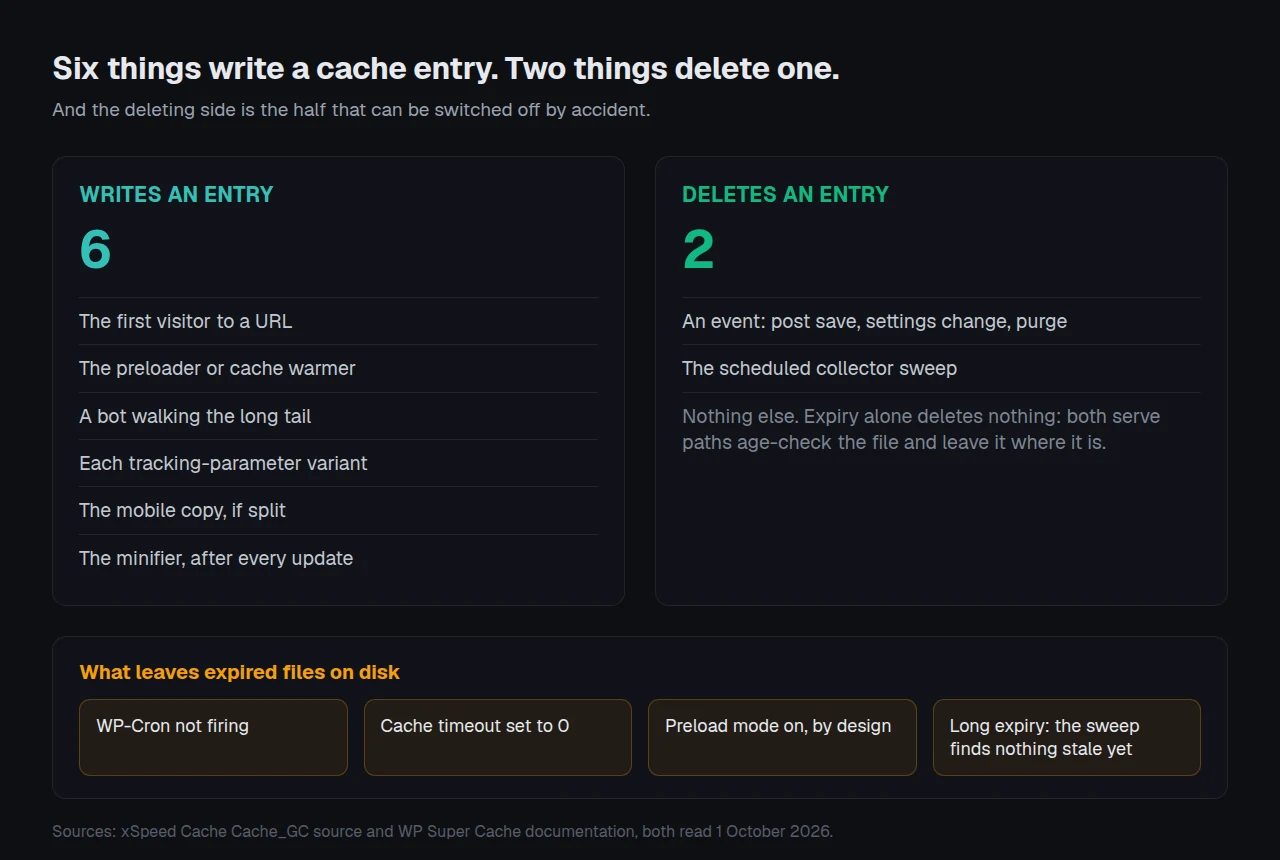
Both of xSpeed’s serve paths age-check a file before using it, so an expired entry is never sent to a reader. Deleting it is a separate daily xspeed_gc cron event walking the flat tree, the static tree and min/, up to 5,000 candidate files per run, resuming from a cursor next time. Invalidation everywhere else is event-driven: a post save, a settings change, a purge. A finished catalogue fires none of those for months.
WP Super Cache’s documentation states the general case plainly: “Your cache directory fills up over time, which takes up space on your server.” Its troubleshooting notes name the failure to check first: “Garbage collection of old cache files won’t work if WordPress can’t find wp-cron.php.”
Three settings switch the sweep off, all of them deliberately:
- ⏱️ A cache timeout of zero. Per the same documentation, a mostly static site “can disable garbage collection by entering 0 as the timeout”, with 1800 seconds suggested otherwise.
- 🔁 Preload mode. Enabling it means “Garbage collection of old cached files will be disabled”, by design, so a warmed page is never discarded before its replacement exists.
- 🧹 A long expiry with no sweep. xSpeed’s Cache Expiry accepts 1 to 720 hours and defaults to 168, documented on the page cache reference. Seven days on a site nobody edits writes seven days of bodies before the first ages out.
A preloader that never completes keeps the writing side busy too, which your preloader never finishes diagnoses separately.
One page, many entries
Our own page cache documentation puts the mechanism in one sentence: “Send one campaign and you’ve got dozens of duplicate copies of one page.” A tracking parameter changes the address and not the markup, so a naive cache key stores a copy per click.
Vendors answer this three ways, which is why one campaign costs different disk on different stacks.
| Plugin | Policy on an unknown query string | Source |
|---|---|---|
| xSpeed Cache | Strip 44 listed parameters, then key the rest | default_ignored_query_params(), read 1 Oct 2026 |
| Cache Enabler | Cache query strings by default, exclusions opt-in | Changelog 1.5.0 |
| WP Fastest Cache | Prevent caching URLs that contain query strings | Changelog 1.5.1 |
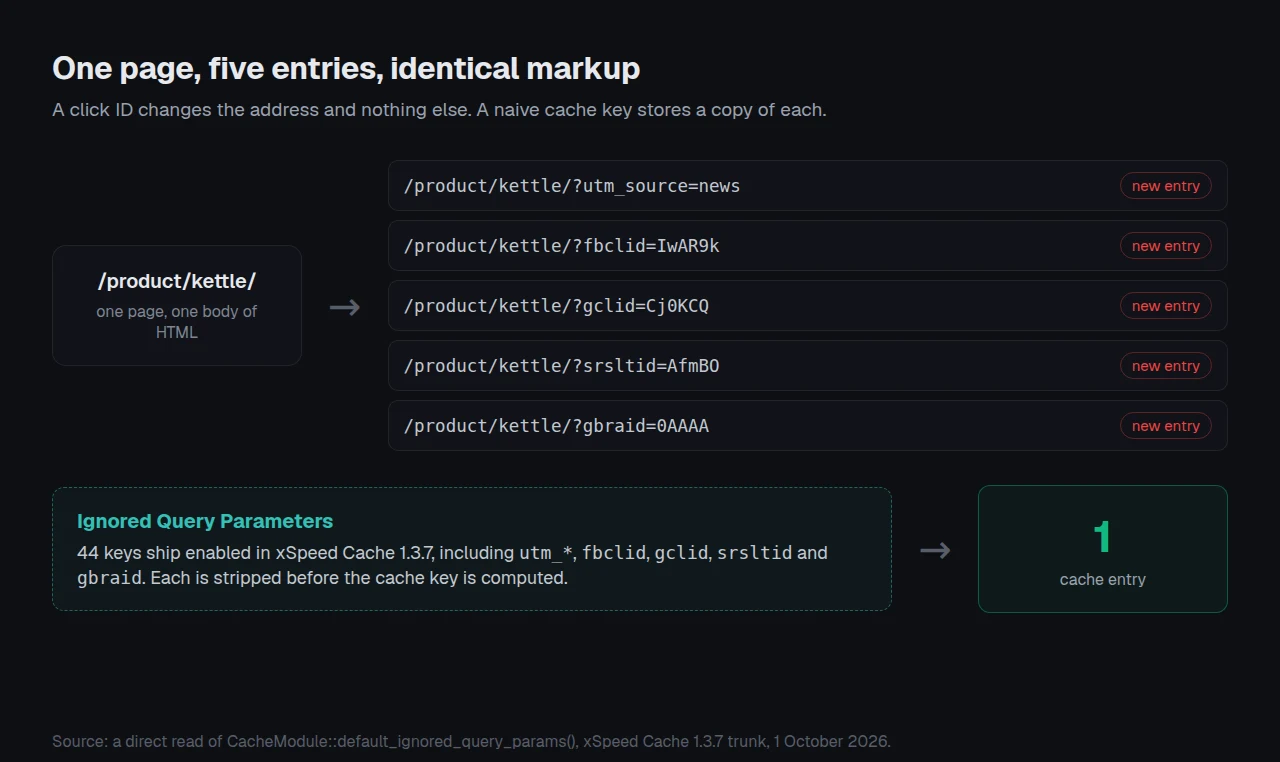
A direct read of our shipped list returned 44 entries, 31 original plus 13 added in 1.3.6, three of them anchored patterns. Our 1.3.7 release notes, dated 1 October 2026, record “More click and campaign IDs are ignored in the cache key, on saved lists too”, so an edited list keeps its edits. The field is Ignored Query Parameters, and cache rules and bypasses covers conditions a flat list cannot express.
Separate mobile caching doubles every entry, which is why it ships off, and a cookie fragments the key the same way, covered in a logged-out visitor seeing someone else’s name.
Minified assets orphan themselves
min/ grows on a different clock. Its key is a hash of the source path and the source file’s modification time, so every plugin or theme update mints a new file and strands the previous one permanently. Nothing in a post save reaches it. xSpeed sweeps that tree at a 30-day max age, filterable through xspeed_gc_asset_max_age.
Keeping a fleet’s disk flat
One site is a settings screen. Twenty-five is a policy question, because the list that fits a faceted WooCommerce store does not fit a membership site, and a disk fills quietly until a backup fails.
xSpeed Cache is ours, built by WPDeveloper. The collector, the 44-parameter default list and per-entry expiry are all free, listed on Free vs Pro; the WP-CLI commands script the manual half, and xSpeed Hub applies one policy across a fleet. Pricing starts at $29 a year with a 14-day money-back guarantee. WP-Optimize and WP Super Cache both ship competent collectors, and every step above works on either.
Run the free scan on your own site: xspeedcache.com/scan/
Frequently asked questions
Is it safe to delete my cache folder by hand?
Deleting the contents is safe and the next visitor rebuilds what is needed. Deleting the directory is not, because the plugin expects it to exist and be writable. Clearing a WordPress cache covers each store in order.
The folder is 4 GB and my site has 300 pages
That ratio is the variant signature. Compare the ignored parameter list against the campaign and filter parameters your traffic actually carries.
I cleared the cache and it was back to gigabytes in a day
Something is warming it. A preloader crawling every parameter variant, or an uncollected min/ tree rebuilding after an update, will both do that inside a day.
Does a larger cache make the site slower?
Not directly, until the disk fills or inode limits bite. A full disk stops the cache writing at all, and every request then runs PHP.
The oldest file in my cache is three weeks old and expiry is 24 hours
Check WP-Cron first, then whether preload mode is on. Both leave pages correctly treated as expired and never removed.
Read the folder before you empty it
What to do this week:
- Take the four numbers: size, entries, distinct URLs, oldest mtime.
- If entries far exceed distinct URLs, extend the ignored parameter list and purge once.
- Confirm WP-Cron fires, and check whether preload mode is switched on.
- Set an asset max age so
min/stops accumulating orphans. - Run the free xSpeed Scan afterwards: a purge that frees disk and breaks caching is worse than a large folder. If the purge changed nothing, you purged the cache and the page is still old is the next read.
Read 1 October 2026: our collector source, and directory readmes for WP Super Cache, WP-Optimize, Cache Enabler and WP Fastest Cache.